You choose the AI
A local model such as Ollama, or a cloud provider with your own API key. You pay your provider directly, or nothing at all with a local model.
Beta, invite only
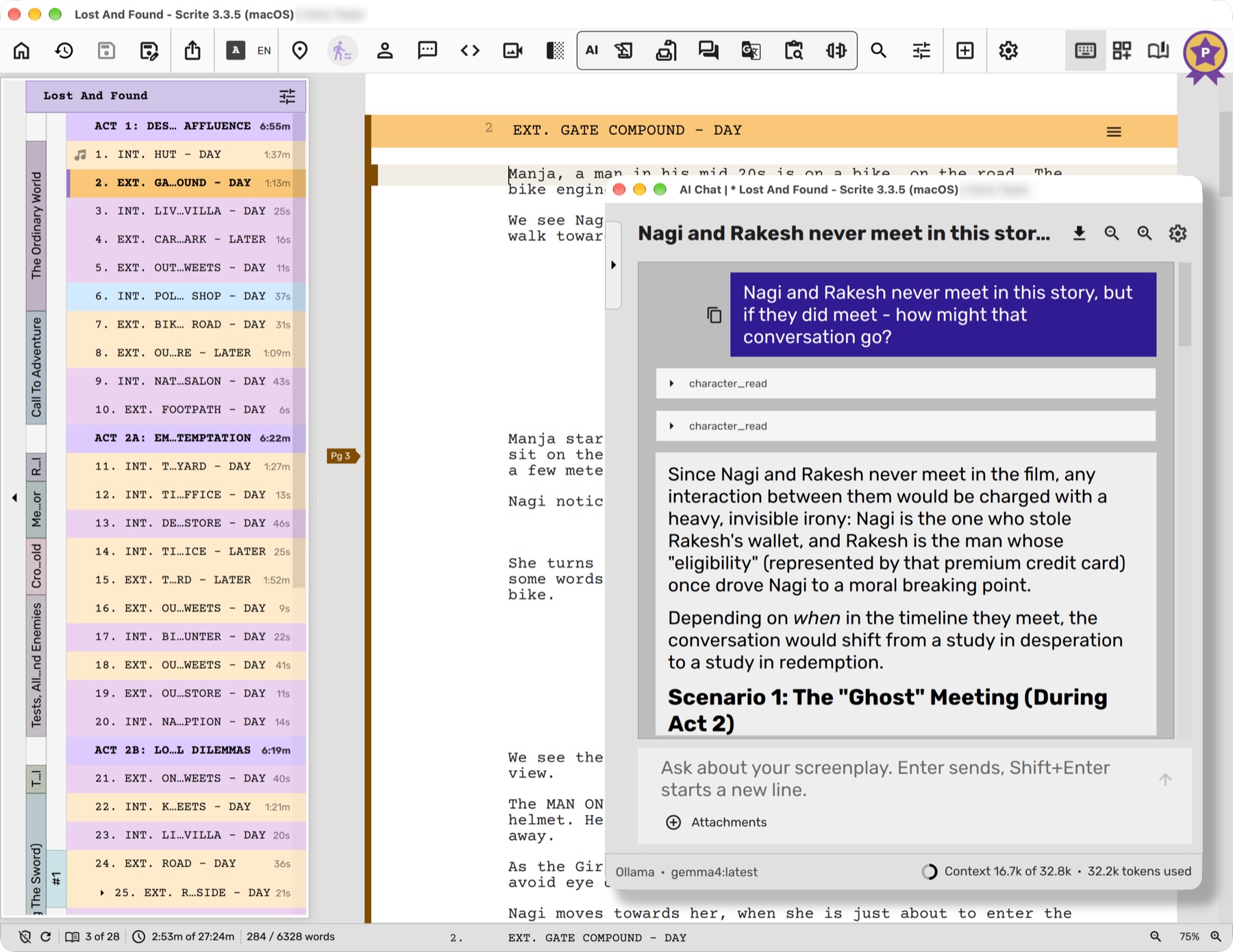
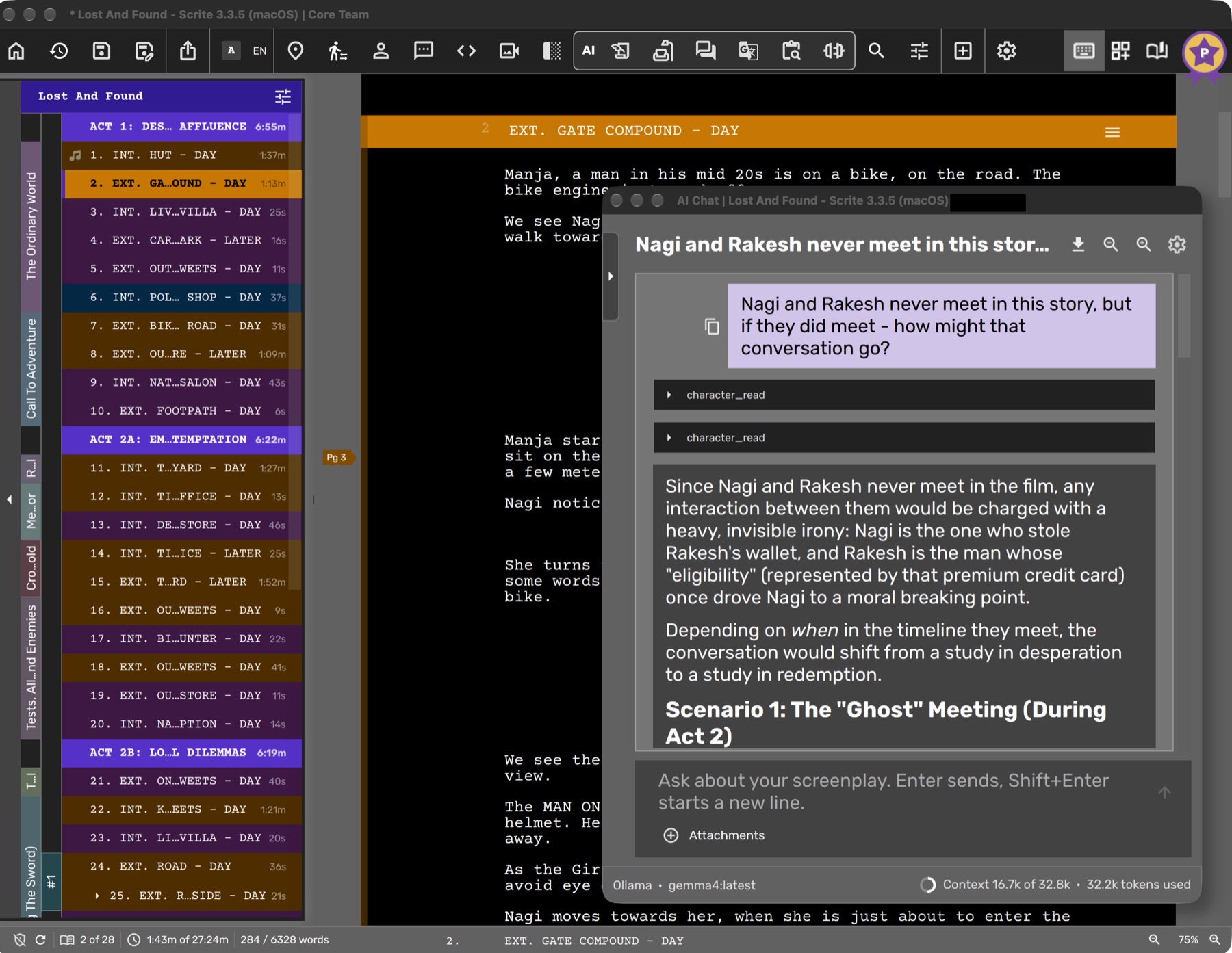
Bring your own model. Your story stays yours. Chat with your script, review a draft or prepare reports, and keep everything in your Notebook.
Our approach
The models that already exist are remarkably capable and improve every few months. Scrite's job is to help you put that power to work on your screenplay.
Your computer
A local model such as Ollama, or a cloud provider with your own API key. You pay your provider directly, or nothing at all with a local model.
Chats, summaries and reports draw on your scenes, notes and characters, so answers are about your story, not stories in general.
Rewrites arrive for approval. When AI edits your text, as in translation, the original is saved first as a read-only attachment.
Quick tour
A short tour, from connecting a provider to working on a script.
What you can do
Develop it with a thinking partner.
Find what to fix before the next draft.
Prepare to take it out into the world.
The AI plays a character
Be Meera. I'll ask you why she hasn't opened the letter.
The AI plays the writer
Be the writer and role play with me, assuming I'm a character. Ask me questions about my motivations and emotions in the film.
Chats, summaries and notes are saved inside your script, and come with it into every future session.
General-purpose chat apps
First session
Upload the script. Explain the story.
Next week
Upload it again. Explain it again.
Next draft
Upload the new draft. Start over.
Scrite + AI
First session
Analyse your story once. Every result is saved as a note in your script.
Next week
Nothing to upload. Re-analyse only what changed. The rest is reused.
Next draft
Pick up where you left off. Chats, reports and your corrections are all still there.
Connect Claude Desktop or AnythingLLM to Scrite. They read your script where it lives and file their work back as notes. You approve every change. No more copy and paste.
Connects through MCP, an open standard for linking apps. A few minutes to set up. What the app reads goes wherever that app sends it. Learn more in the guide.
How to get started
The quick start with Ollama Cloud takes about five minutes. A local model works too.
Add Document Instructions, then run a Story Summary. Everything else builds on it.
Try Story Structure, an AI Report, or open AI Chat and ask your screenplay a question.
Tell us how you used it, what surprised you, and what didn't work. Your feedback decides what we build next.